The world of podcasting is booming. Once a niche medium, podcasting has hit the mainstream while still delivering the depth and authenticity that audiences crave. In the US, about 34% of the population listens to podcasts every week, and markets across Europe and Asia are growing even faster. There are now more than four million podcast shows worldwide—and yet the space is far from saturated compared to blogging (31 million blogs) or YouTube (800 million+ videos).
While most podcasts remain audio-only, there’s a rapidly growing demand for video podcasting—letting listeners see the faces behind the voices and boosting engagement on platforms like YouTube and Spotify. Which side of that curve do you want to be on?
We’ve compiled this step-by-step guide to help you capitalize on this thriving platform and launch a successful podcast—no experience required.
Why are podcasts unique?
Podcasts aren’t designed for the cheap thrills of social media, where users spend seconds on your content before scrolling on. Podcast listeners are more likely to follow you on social media, spend more time with your content, and become genuinely loyal fans. That said, social platforms remain a great tool for acquiring new listeners.
Podcasting enables authentic, long-form connection with your audience. Unlike blogging or video, podcasts don’t demand your listeners’ undivided attention—they can listen while commuting, working out, cooking, or doing chores. That flexibility is why average weekly podcast listeners tune in for over seven hours per week.
Determine your vision
Podcasting offers space for content as diverse as the human population. What are your passions? Who do you want to connect with? Would you rather serve the most popular genres—news, comedy, true crime, sports—or carve out a niche of your own? The sky is the limit and you are the pilot.
Still figuring out your vision? Ask yourself:
- → Do you want to entertain, educate, or inspire?
- → Do you want to build your brand or grow a business?
- → Do you see a gap in your space that you can fill?
- → Do you just have a lot to share and a community to share it with?
Keep track of your “why” to remember your purpose—but don’t be afraid to evolve.
Choose a theme for your podcast
Your topic can be broad or narrowly focused, depending on your vision. The only rule in podcasting is to be passionate about what you broadcast. If you don’t genuinely care about the topic, how can you expect anyone else to? You’ll invest meaningful time researching, recording, and editing—so pick something you enjoy. Your listeners will feel the difference.
Research your space
Now that you know there are millions of podcasts, it’s time to explore your community. Listen to the top shows in your niche and take notes. Maybe you can cover similar topics with a fresh angle. Maybe you can provide a more balanced or global perspective. Maybe you can collaborate and invite established podcasters as guests.
This is your space too now—you choose how to contribute.
Pick a podcast name
There’s a lot of conflicting research on whether your name alone determines clicks vs. scrolls. But a few rules of thumb hold up: choose a title that is brief, descriptive, and unique to your vision, and try to include relevant search keywords naturally. Don’t stuff it with terms, but including one or two searchable phrases helps.
For example, a true crime podcast might be called “Unsolved Mysteries Never Told”—which surfaces on searches for ‘unsolved mysteries’ and ‘never told stories’. Always verify there are no exact duplicates of your name before committing.
Pro tip: Don’t let the name stop you from launching.
The easiest way to get zero listeners is to never publish your podcast. Pick a name, commit, and start recording.
When to design your podcast cover art
You’ve got your vision and a name. Time to design cover art, right? Not quite. Designing a logo takes time, effort, and often money—and if you’re brand new, you might find your podcast evolving in ways you didn’t anticipate after the first few episodes. Your cover art should instantly convey what your podcast is about, so wait until you have a clearer picture of your identity before investing in it.
Determine your podcast format
There are many formats to choose from. You don’t need to commit to one forever, but you’ll likely lean on one more than others.
One-on-One Interview
You interview individuals from a particular industry or area of expertise. Popular examples: The Joe Rogan Experience, WTF with Marc Maron, Off Camera with Sam Jones.
Pros
Fresh content with every guest; minimal editing required since conversations flow naturally.
Cons
Finding and scheduling quality guests takes real effort; most competitive format.
Solo Format
You script or ad-lib a monologue, or answer a set of predetermined questions. Examples: The Gist, Dan Carlin’s Hardcore History, Wit & Wire.
Pros
No scheduling conflicts; builds deep personal connection with your audience.
Cons
It’s just you on an island—the full creative and energy burden is on you.
Co-Host Format
You cover topics or carry on conversations with one or more co-hosts. Examples: Political Gabfest, The Beancast, The Ramsey Show.
Pros
Less structure needed; organic banter creates engaging, natural-sounding episodes.
Cons
Requires long-term commitment and coordination from every co-host.
Non-Fiction / Storytelling
A form of audio journalism featuring specific lessons, true stories, or exposés. Examples: Serial, TED, Science VS.
Pros
Endless source material; you educate yourself and your audience simultaneously.
Cons
Requires significant research; highly competitive with many established shows.
How long should your episodes be?
There’s no magic number. Episodes range from a few minutes to over three hours. The right length is as long as it takes to get your point across—and not a minute longer. If your recordings consistently run long, editing is your best friend. A tightly edited 25-minute episode will outperform a rambling 60-minute one almost every time.
Popular episode lengths by format: interview podcasts often run 45–90 minutes; solo shows tend to be 15–30 minutes; storytelling formats vary widely from 20 minutes to multi-hour epics.
How often should you release episodes?
Again, no single answer. Research your space to see what the popular podcasts in your niche are doing. If podcasting is a side project, you may not be able to match the top shows’ volume—and that’s okay. They didn’t start there either.
What matters most is establishing a consistent schedule. Research suggests it takes about two months to cement a new habit. Build your routine first—even if it’s one episode every two weeks—then optimize for volume. Inconsistency is the biggest threat to a podcast’s longevity.
Recording equipment
You need a good microphone and headphones for audio-only podcasts. For video podcasts, add a decent webcam and some lighting. You can easily spend days researching and thousands of dollars outfitting a studio—but you don’t need to. You’re capturing your speaking voice, not a symphony orchestra. Below are solid recommendations at every budget.
Microphone
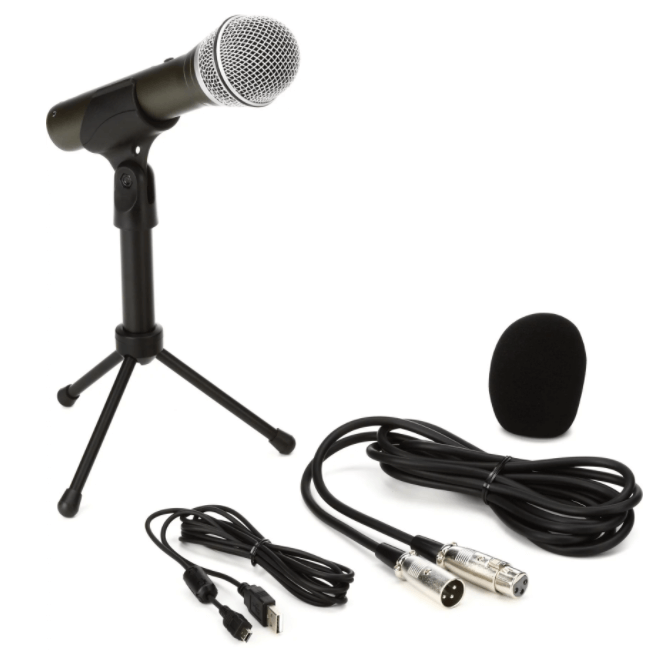
Samson Q2U — ~$70
USB & XLR dynamic microphone. Great starter mic that works with your computer directly and scales to a mixer later.
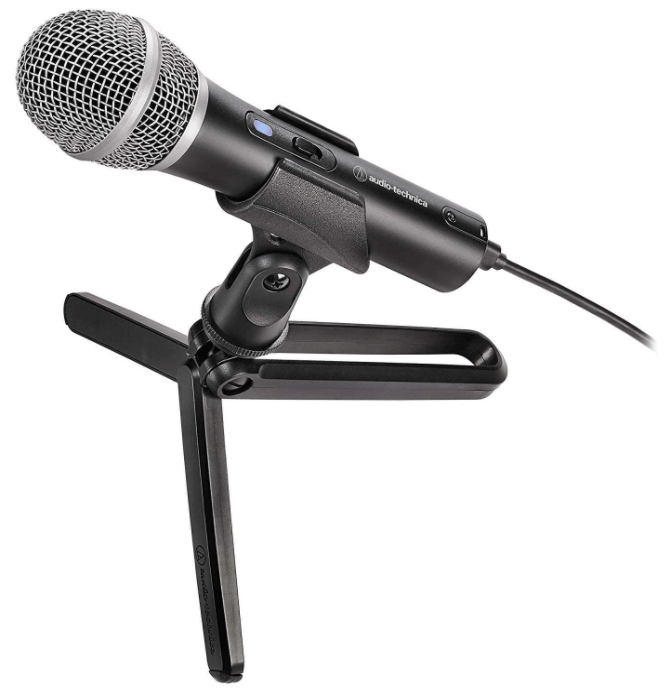
Audio-Technica ATR2100x — ~$100
USB & XLR dynamic microphone. Excellent build quality and sound—a step up with room to grow.
Headphones
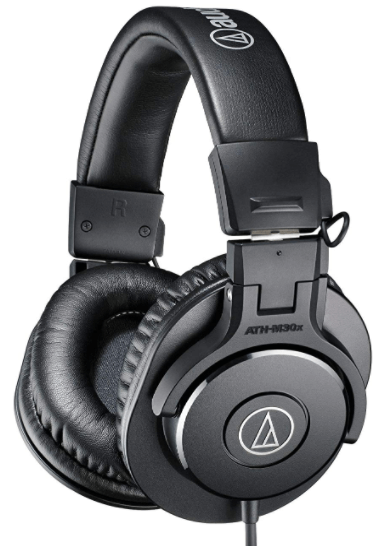
Audio Technica ATH-M30x — ~$70
Closed-back studio monitor headphones. Great sound isolation and comfort for long recording sessions.
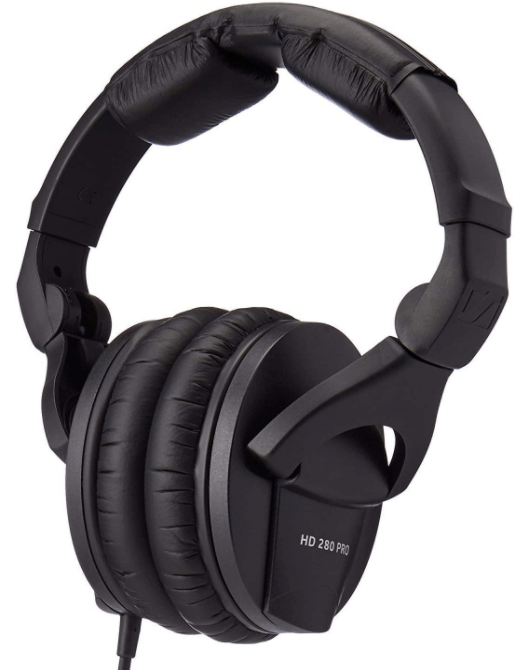
Sennheiser HD280 Pro — ~$100
Industry-standard closed-back headphones. Excellent passive noise isolation—a favorite in recording studios.
Webcam (for video podcasts)
Your iPhone camera — Free (or low cost)
Use the free Camo app to turn your iPhone into a webcam. An annual premium license is only $40—less than a coffee a month. iPhones genuinely outperform most affordable webcams.
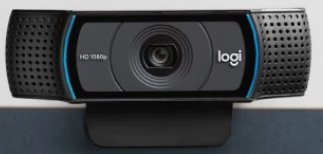
Logitech C920 HD Pro — ~$80
The most popular webcam for podcasters and streamers. Sharp 1080p with a wide field of view.
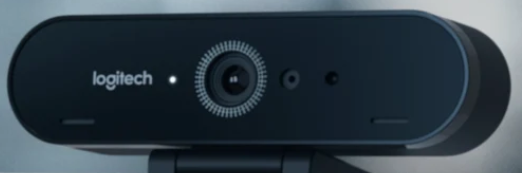
Logitech Brio Ultra 4K — ~$200
4K HDR with excellent low-light performance. Great if you want the best image quality from a webcam.
Lighting
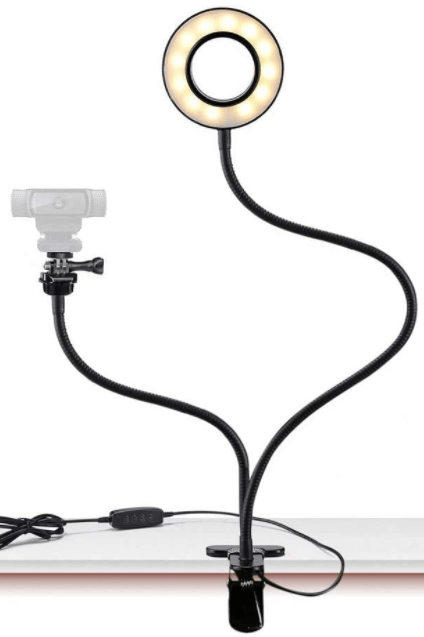
Small Ring Light — ~$20
The quickest upgrade for your video quality. A basic ring light immediately eliminates harsh shadows.
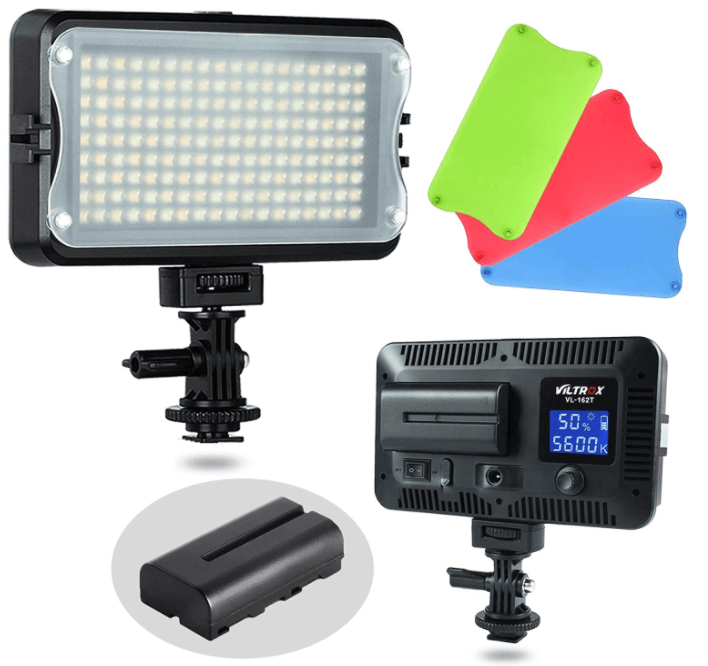
VILTROX VL-162T LED Light — ~$43
Adjustable color temperature (3300K–5600K). Great for matching the look of natural or warm ambient light.
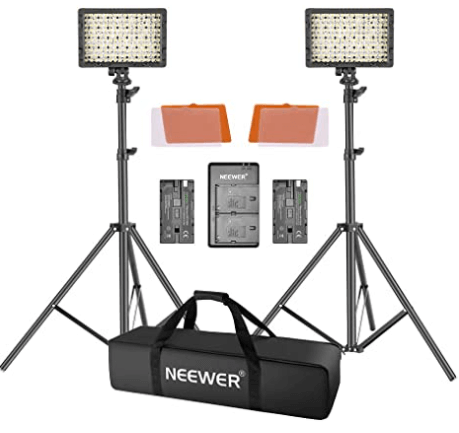
Neewer LED 2-Light Kit — ~$110
Two-light setup for a professional three-point lighting effect. The biggest visual upgrade you can make short of a full studio.
Record your first episode
You have your equipment and your vision. Time to record. Expect a learning curve—Da Vinci’s first painting wasn’t the Mona Lisa. Don’t get discouraged if your first few episodes aren’t knockouts. You’ll improve faster than you think.
Create a rundown
Even natural conversationalists can ramble when the record button is on. Write a basic outline of topics, key points, and questions. Share show notes with any guests beforehand. A little prep on the front end saves a lot of editing time later—and your guests will appreciate it.
Find the right place to record
Most of us don’t have foam-walled studios. Find the largest, quietest room available and fill it with soft surfaces. Carpets, curtains, furniture, pillows, and clothing all dampen sound. Avoid recording in small rooms with bare walls—they create the most echo.
Recording remotely? Iris was built for this.
When you can’t be in the same room as your guest or co-host, Iris records each person locally in studio-quality audio and video—no compression, no Zoom artifacts. Every participant records a lossless local track that gets uploaded automatically.
Try Iris free →Microphone technique
You’ve heard podcasts ruined by sibilance (hissing S sounds) and plosives (hard P, T, K, B, D, G sounds). Microphones exaggerate these speech imperfections—caused by blasts of air hitting the capsule. Position your microphone 2–4 inches from your mouth and slightly off-axis (not pointed directly at your lips). Experiment with placement, record short test clips, and listen back.
Still having trouble with plosives? A pop filter is a $10–$20 fix that makes a real difference.
Edit your podcast
Editing is the less glamorous side of podcasting, but it’s where a good recording becomes a great episode. You’ll clean up the audio, remove dead air and mistakes, balance volume levels, and add intros, outros, and any ads.
Podcast editing software
You don’t need to be an expert to edit a podcast. If you’re new to editing, start with a free tool to learn the basics, then try paid trials to see what fits your workflow.
| Software | Platform | Price |
|---|---|---|
| Audacity | Windows & Mac | Free |
| GarageBand | Mac only | Free |
| Descript | Windows & Mac | Free – $24/mo |
| Reaper | Windows & Mac | $60 one-time |
| Hindenburg | Windows & Mac | $95 (30-day trial) |
| Adobe Audition | Windows & Mac | $21/mo (30-day trial) |
Prefer to focus purely on content and outsource editing? Resonate, We Edit Podcasts, and Castos offer professional editing services.
Podcast Intros & Outros
Intros and outros are optional. A great intro builds brand recognition and sets the tone. But keep them short—one of Netflix’s most-celebrated features is “Skip Intro.” If you want to create one, The Ground Up Show has a helpful tutorial.
Picking a theme song
To avoid copyright issues, use royalty-free music. Good free sources: Pixabay, YouTube Audio Library, and Free Music Archive. For paid options: Audio Jungle and Storyblocks have large catalogs.
Find a podcast hosting service
You’ve recorded and edited your podcast—now you need a way to distribute it. You might think: just upload it to Apple Podcasts, Spotify, or SoundCloud, right? Wrong. These are podcast directories—they don’t store your files. They act like a phone book, pointing listeners to where your audio actually lives.
What you need is a podcast host—a service that stores your audio files and generates an RSS feed that automatically pushes your episodes to every podcast directory your listeners use. Upload once, distribute everywhere.
Audio-only podcast hosts
The most widely used host. Very beginner-friendly with excellent listener analytics. Free plan (2 hours/month); paid plans from $12/month (3 hours) to $24/month (12 hours). Includes a free 90-day trial.
Second most popular host with strong analytics and growth tools. Unlimited episodes for $19/month. 7-day free trial.
Audio & video podcast hosts
Unlimited content. Unlimited audio from $9/month; audio & video from $29/month. Free 30-day trial.
Unlimited content with a WordPress plugin and private podcast options. Video plans from $99/month. Free 14-day trial.
One of the oldest and most trusted hosts. Strong analytics. Plans from $5/month (50MB storage) to $150/month (3,000MB).
Title and describe your episodes
A good title and description let listeners instantly understand what an episode is about—and they serve double duty as SEO content. Search engines ingest your episode titles and descriptions as metadata, surfacing your show in search results when people look for topics you cover. Write your descriptions for humans first, then work in a few natural search terms. Don’t keyword-stuff; just be clear and specific.
Pick an appropriate category
When listing your podcast on Apple Podcasts, you’ll choose a primary and secondary category. Your primary category matters most for discoverability. Consider starting in a narrower, more specific category with less competition rather than going head-to-head with established shows in oversaturated genres. Use Apple’s analytics tools to research competition in your target category.
Cover art design
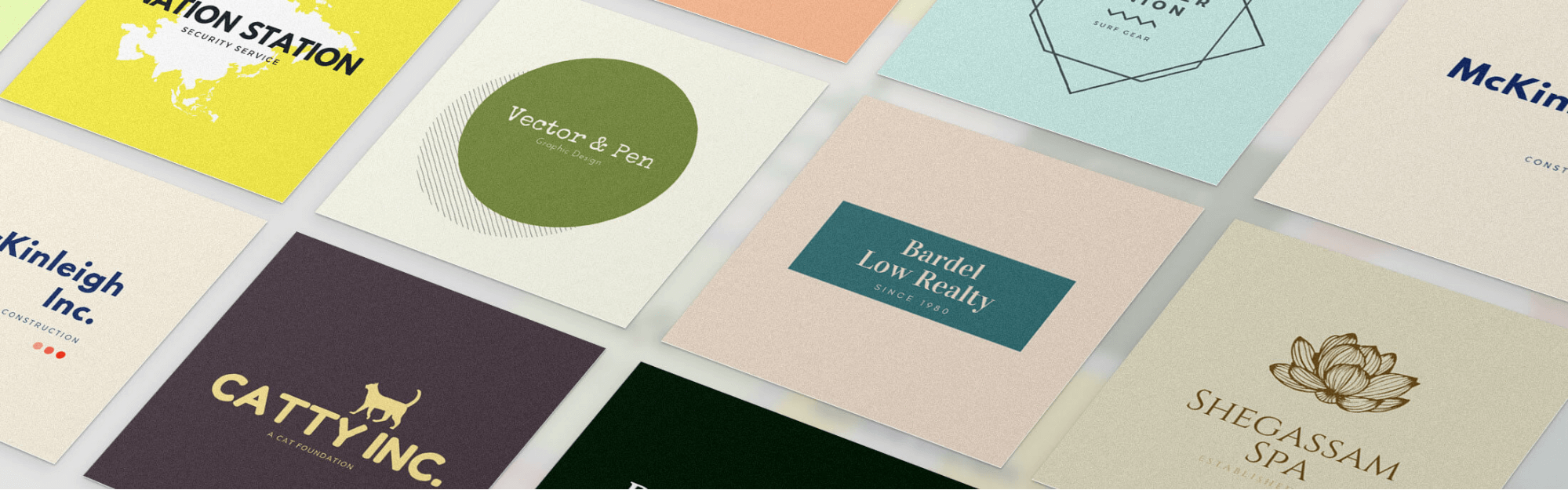
Now that you know what your podcast is about and who you’re competing with, it’s time to design your cover art. Study the other shows in your category. Look for common background colors, dated graphics, or template-looking logos—then differentiate. Most podcasters haven’t updated their art since launch, so a fresh, modern design can help you stand out immediately.
Keep it timeless rather than trendy if you plan to use it long-term. Canva has excellent podcast cover art templates. For custom design, Fiverr connects you with designers at reasonable rates.
Apple Podcasts cover art specs
- ✓ Minimum 1400 × 1400 pixels; maximum 3000 × 3000 pixels
- ✓ JPEG or PNG format, 72 DPI, RGB colorspace
- ✓ File size under 500KB
- ✓ Square aspect ratio (1:1)
Frequently asked questions
How much does it cost to start a podcast?
You can start for under $100 with a Samson Q2U microphone (~$70) and a free hosting plan on Buzzsprout. A more complete setup with headphones, webcam, and a paid hosting plan runs $200–$400. Studio-quality setups can cost more, but diminishing returns kick in quickly for most podcasters.
What microphone should I start with?
The Samson Q2U ($70) and Audio-Technica ATR2100x ($100) are both excellent starter mics with USB and XLR connectivity—so they grow with you. Either will sound significantly better than a laptop or headset mic.
How do I record a podcast with remote guests?
Use a dedicated remote recording platform like Iris, which records each participant locally in lossless quality and uploads automatically. Avoid recording through video call platforms like Zoom—they compress audio significantly, which is noticeable to listeners.
How long does it take to edit a podcast?
Expect to spend 1–3 hours editing per hour of raw audio when you’re starting out. With practice and good planning (a rundown, recording in a quiet space), this drops significantly. AI-assisted tools like Descript can cut editing time dramatically by letting you edit audio like text.
How many episodes should I have before launching?
Most podcasters recommend launching with 3–5 episodes. This gives new listeners enough to binge right away, which increases your chances of keeping them subscribed. Launching with a single episode means they might leave before getting hooked.